What ChatGPT, Claude, Perplexity and Gemini say about your brand. And who they name instead.
Ask the assistants your buyers’ questions and get a plain answer: are you named, yes or no, and who is named instead. Check again next week or next month to see what changed. Nothing to set up, nothing to subscribe to: top up and check.
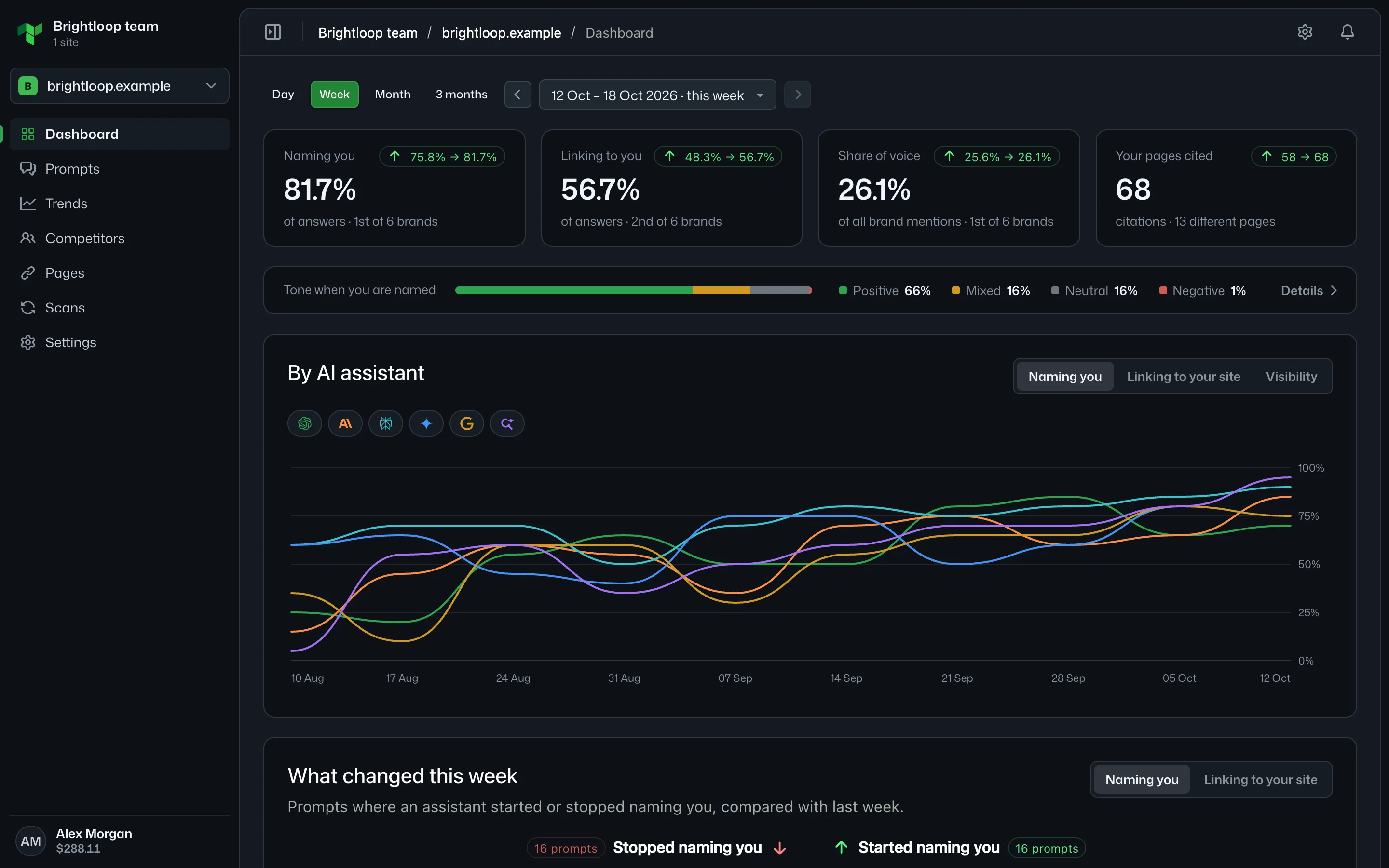
Simple on purpose
No dashboards to build and no plan to choose. Add your questions, run a scan, read the answer.Every prompt, every assistant, week by week
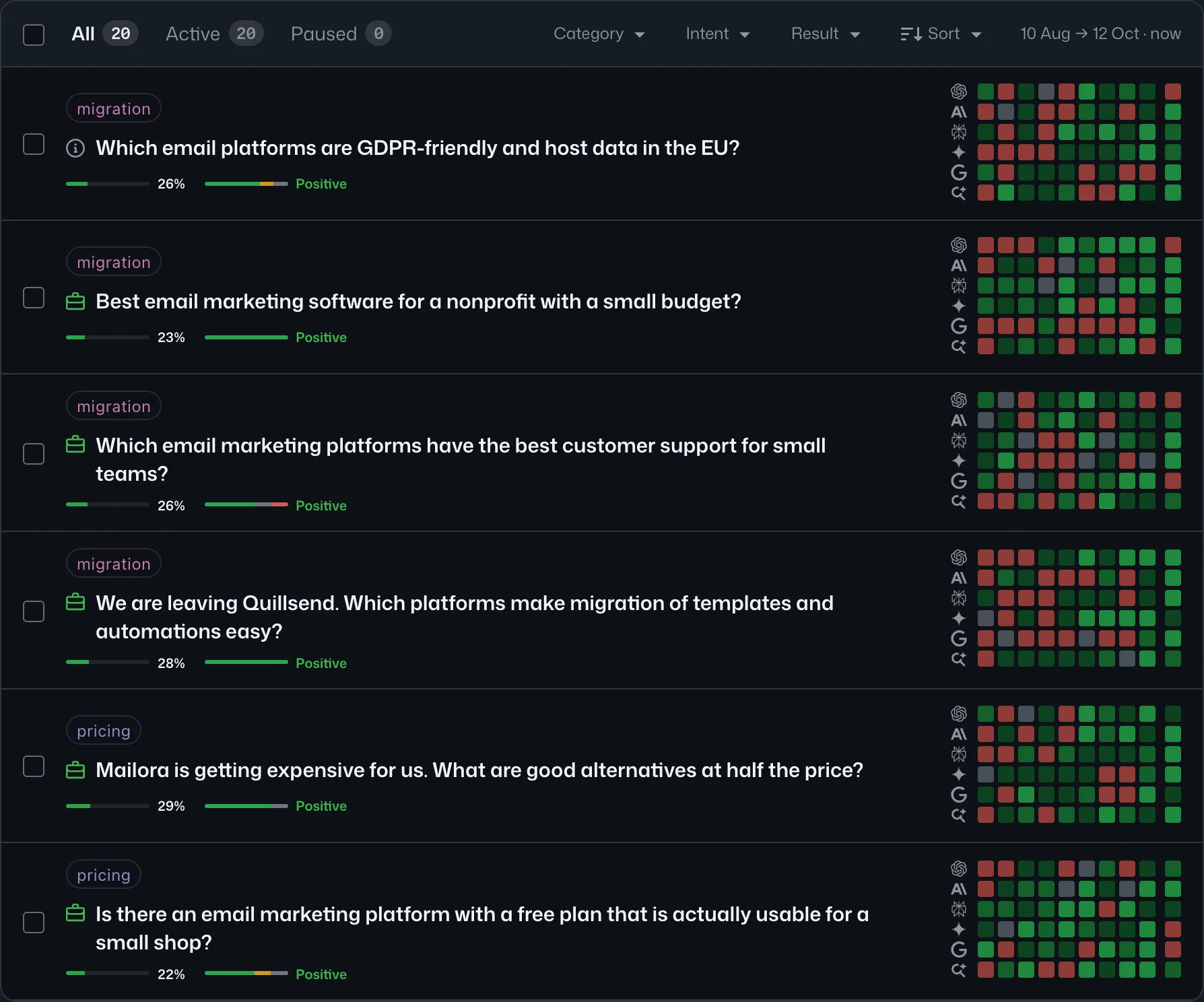
One row per question, one square per assistant per week. Green when you are named and linked, red when an assistant names your competitors and not you. Share of voice and tone sit under each prompt.
- Filter by category, intent, status or result
- Several categories per prompt, a buyer persona where it matters
- Pause a prompt without losing its history
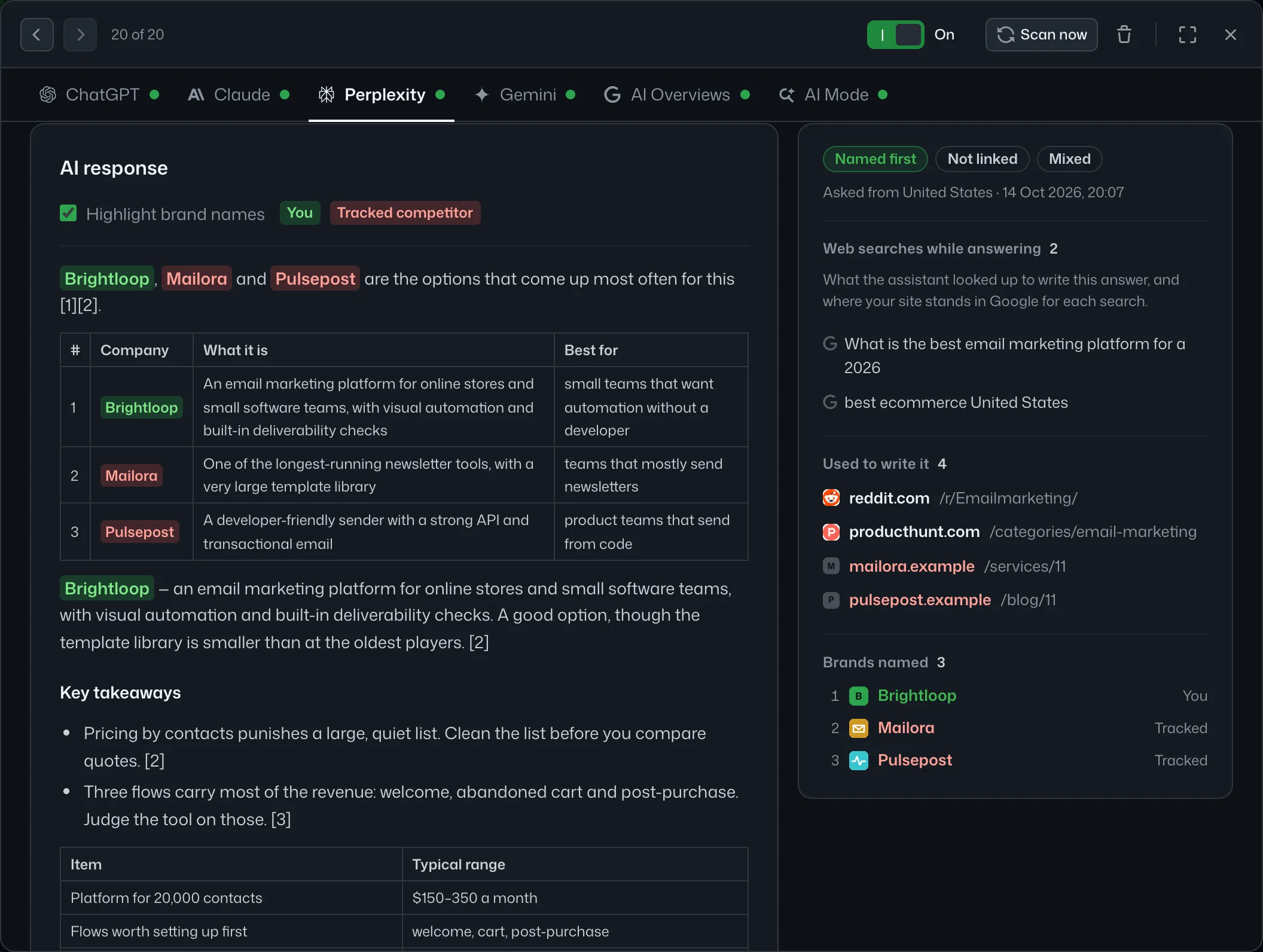
Open a square and read what the assistant said
The full answer with your brand and your competitors marked and the order they were named in. Its sources sorted into your pages, third-party pages, competitors’ pages and reference pages. The web searches it ran, each with where you and your best competitor rank in Google.
- Click a competitor in the text to open it; select a name to start tracking it
- Three or five answers per question, and every share with its margin
- Click any week to see how the answer changed
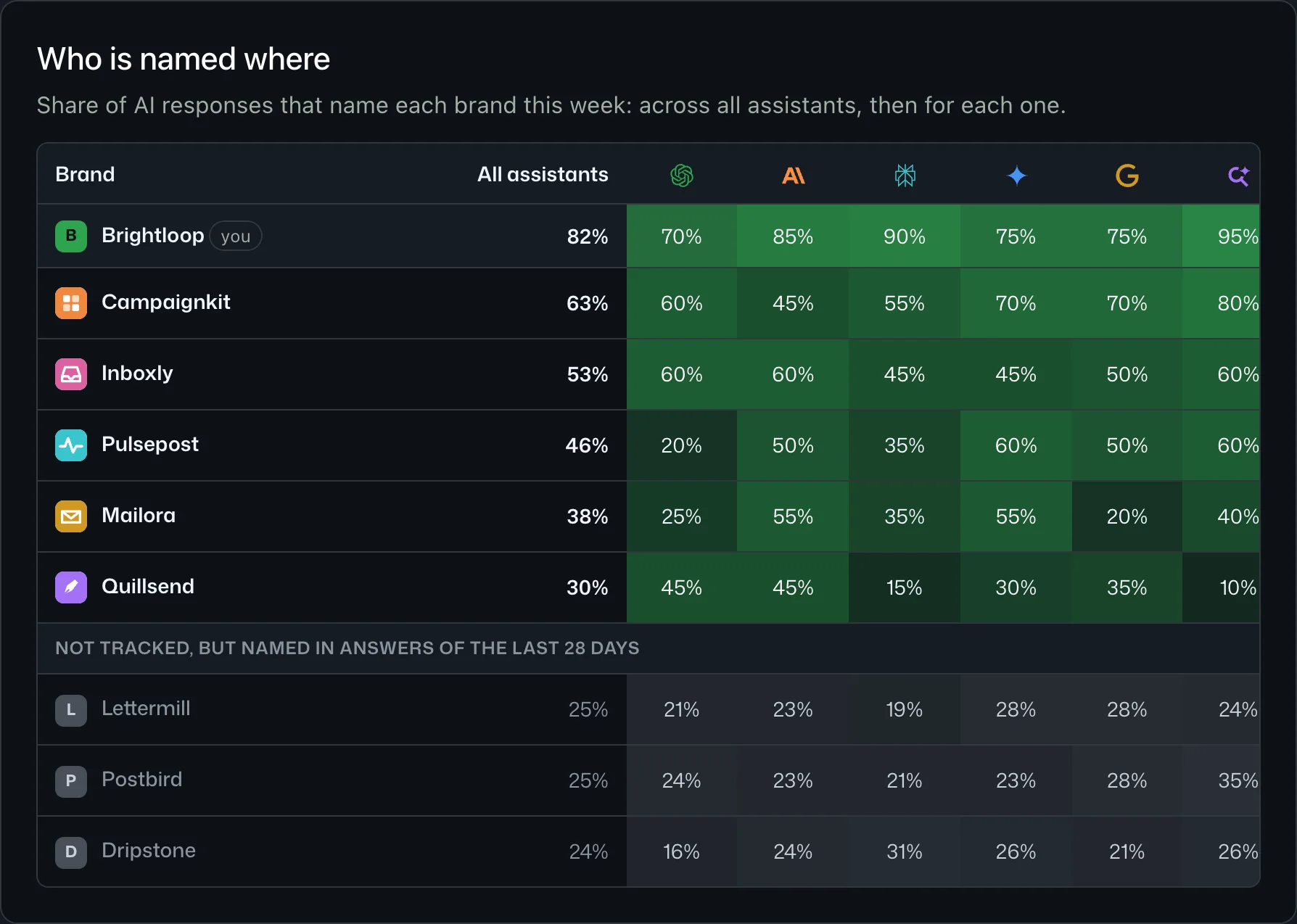
Who is named where, and who is named first
Share of answers naming each brand, across all assistants and for each one. Open a competitor to see the prompts where they are named and you are not, and the pages of theirs that get cited instead of yours.
- Named, named first and linked, over time
- Brands the assistants name that you do not track yet
- Your own colour and logo for each competitor
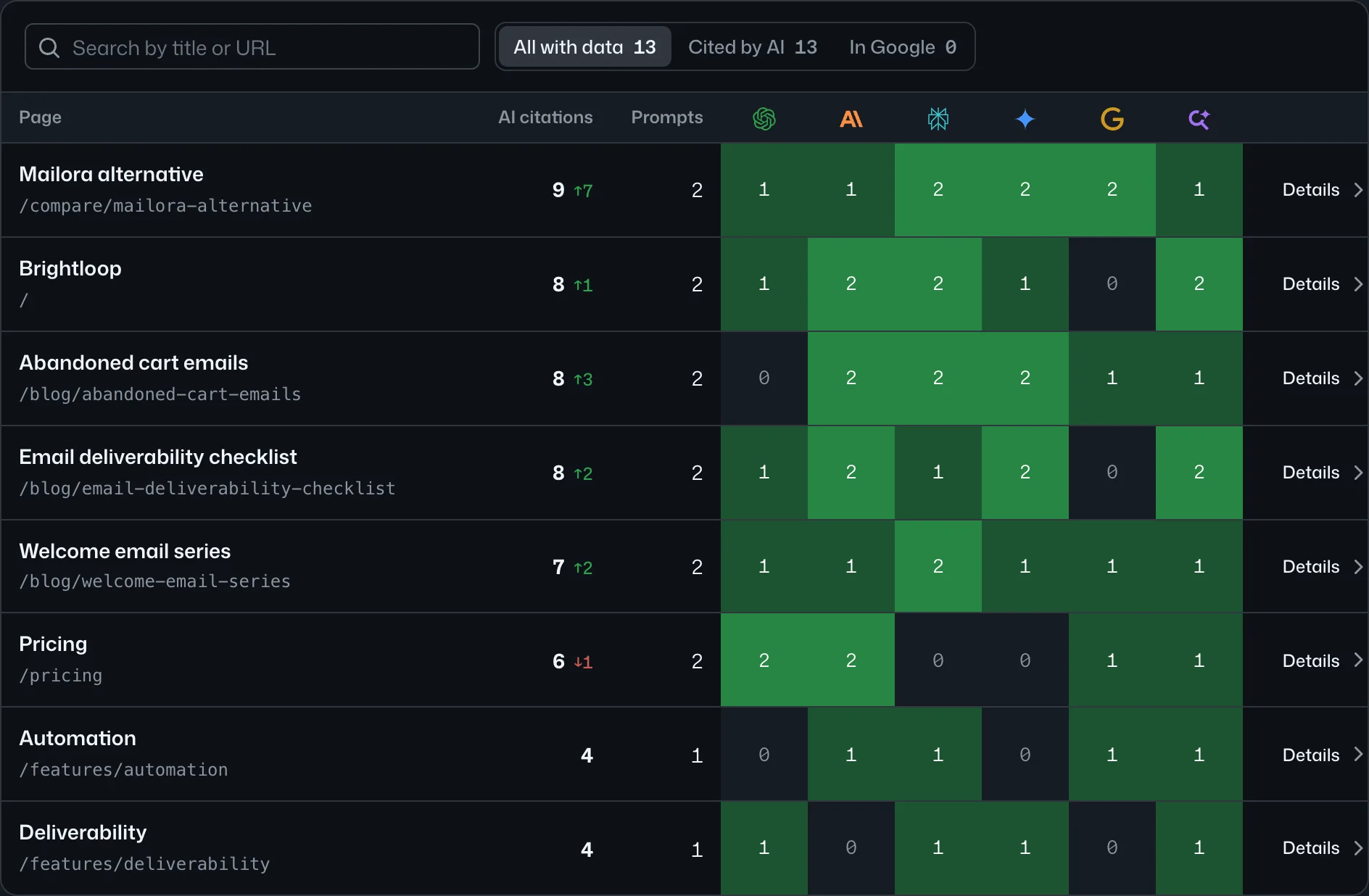
Which of your pages the assistants link to
Every page of your site, read from its sitemap with its title: how many answers link to it, which assistants, the prompts that led there, and where it ranks in Google for the searches the assistants ran. It is the list to hand to whoever writes your content.
- Compared with the period before
- Per assistant, per page
- Open a page to see its prompts and Google ranks
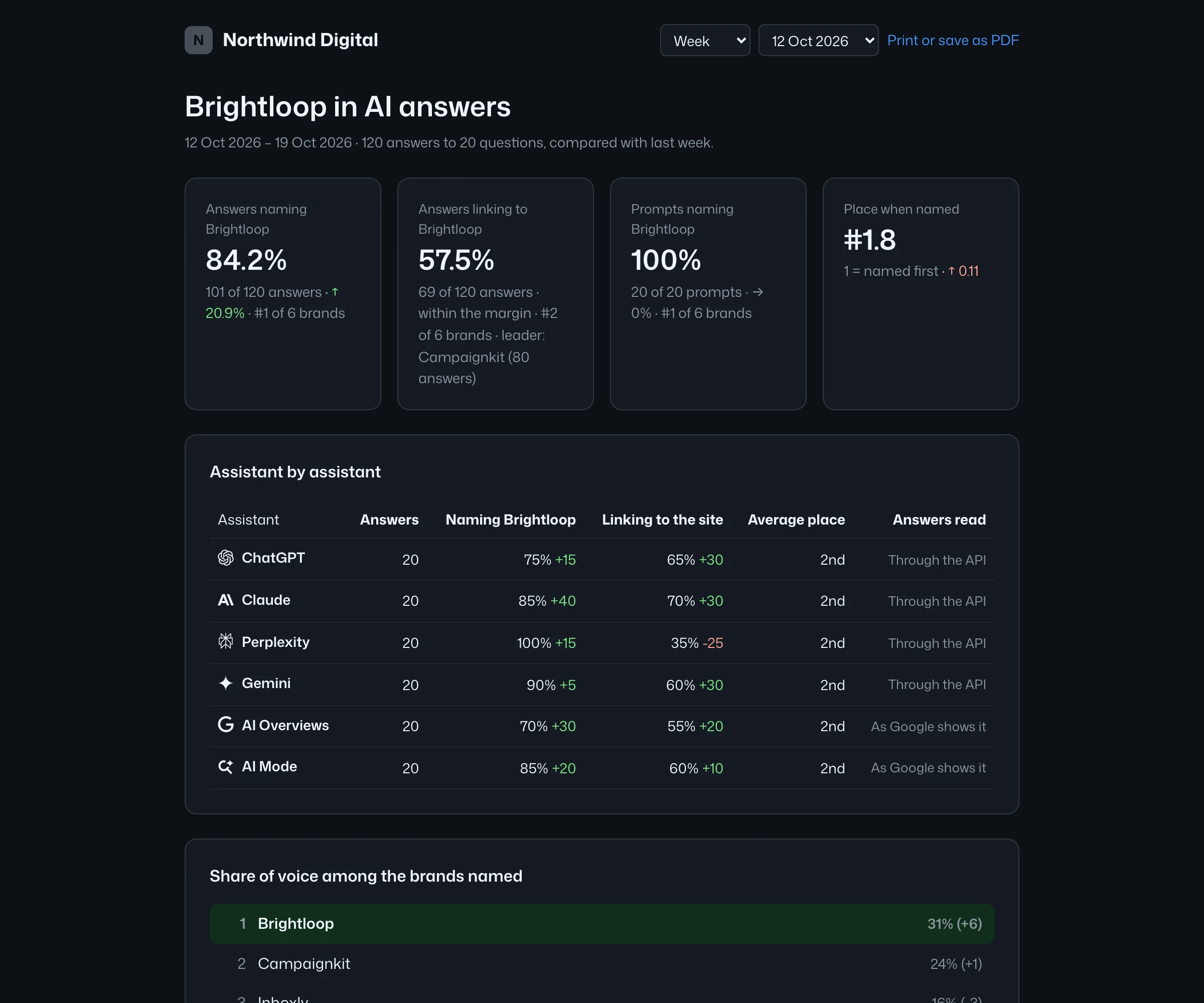
A report your client opens without signing in
One link per site, signed with your name and logo, for any week, month or quarter. It carries the same numbers as the dashboard and says what they were measured on: assistants, answers per question, country, language. Print it as a PDF, or let the client bookmark it.
- Revoke a link any time
- Assistant by assistant, share of voice, what changed, the sites cited most
The same question, asked as your buyer
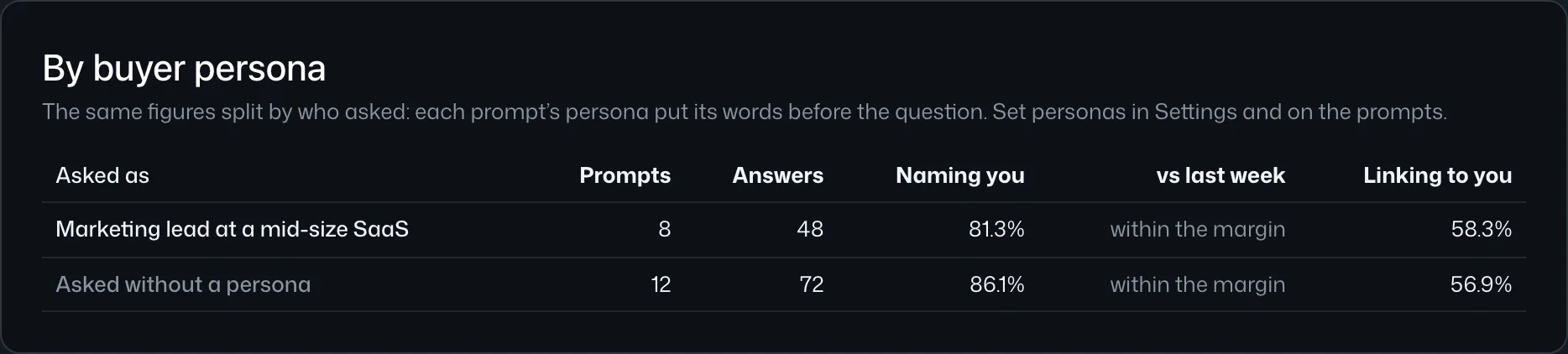
Who asks changes the answer. Write who is asking in their own words and attach it to prompts; the persona’s words go before the question in every scan. The dashboard then splits the figures by who asked, and each answer keeps the exact words it was asked with.
- A persona per segment, several per site
- Share naming you, with its margin, by persona
- Edit a persona later without rewriting history
Your AI does the analysis. Teddit brings the data.
Connect the Teddit MCP server to Claude, Cursor, ChatGPT or any MCP client: paste one address and sign in. Your AI reads the answers, citations, changes, competitors and personas, and can add prompts or start a scan, now or through the queue, when you ask it to. The same data is available over REST.
We deliberately don’t write recommendations. Your AI knows your site, your tone and your backlog: it will give better ones.
What you get in the workspace
Questions people ask before signing up
Is Teddit the Reddit front-end?
No. Teddit (teddit.io) is an AI visibility tracking platform: it measures how ChatGPT, Claude, Perplexity, Gemini and Google’s AI answers talk about brands. It is not related to the open-source Reddit front-end that is also called Teddit.
Does Teddit tell me what to change on my site?
No. Teddit collects and measures. Your own AI, with the Teddit MCP server connected, has your site and your context and gives far better recommendations than a generic tool would.
Which assistants are covered?
ChatGPT, Claude, Perplexity and Gemini, all with web search on, plus Google AI Overviews and AI Mode. For most of them you pick the model, from the cheapest to the top one, and the price per answer changes with it. For ChatGPT and Gemini you can also take the answer as their app shows it.
Are the answers the same as what people see in the apps?
Close, not identical. Each prompt is asked fresh, with web search on and no personal history, from the country and in the language set for the site. Treat a single answer as a sample: ask each question three or five times to get a margin, and read the change over weeks.
How is cost calculated?
Per AI answer, by assistant and model, paid from a prepaid balance. A scan is prompts × assistants (× the answers per question), its price is shown before it starts, and a scan that waits for our worker, the queue, costs less than one run at once. You can set a limit per scan and a monthly cap per site.
Is there a free plan or a trial?
No. There is no subscription, no free plan and no trial. You top up a prepaid balance by card, from $20, and pay only for the answers your scans collect. Reading your reports, sharing them, the MCP server and the API cost nothing.
Can my agency use one workspace for all clients?
Yes. Sites are separate inside a workspace, each with its own prompts, competitors, personas, scan settings and monthly cap; members have roles and can be limited to some sites; and each site’s report can be shared with the client as a link under your name.